How to Check WhatsApp Numbers: A Complete Guide to Registration Status
The guide explains checking WhatsApp numbers to verify registration, activity, and profile data for better marketing efficiency and contact list cleaning.
WhatsApp号码检测注册状态查询全指南
WhatsApp is an important channel for communicating with international customers and expanding into overseas markets. However, having a list of phone numbers does not mean every number is registered on WhatsApp or that every registered account is still active.
Using an unverified contact list can waste marketing resources, increase outreach costs, and expose business accounts to potential restrictions, affecting long-term customer engagement and ROI.
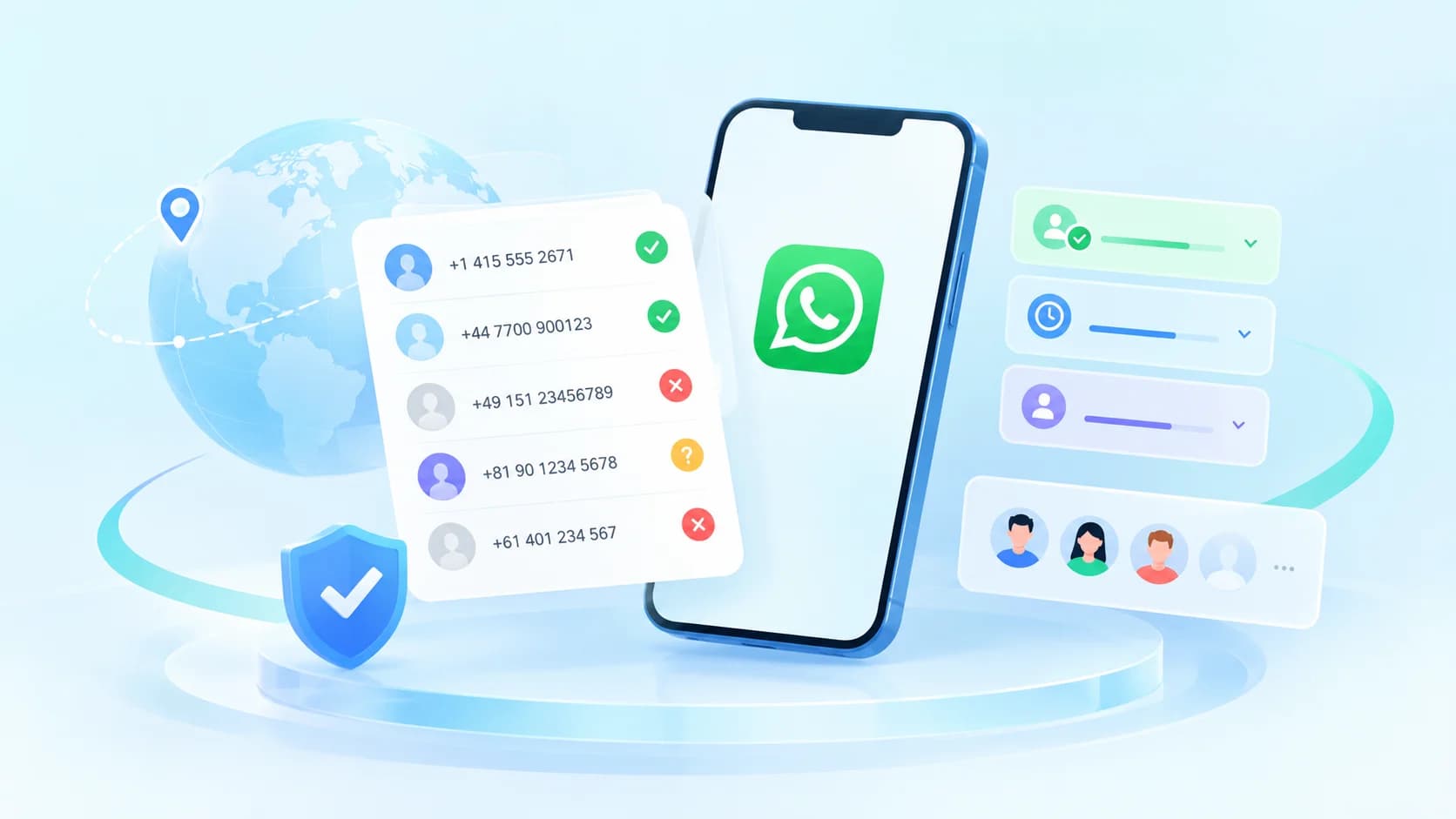
So, how do you check WhatsApp numbers? This guide explains why number checking matters, how to interpret common results, how bulk checking works, and how to check and organize your contact list.
1. Why Check WhatsApp Numbers?
The primary purpose of WhatsApp number checking is to identify which numbers are registered on the platform. Depending on the available checking features, you can also review account activity and profile information to support contact list cleaning and customer segmentation.
🎯 Common Use Cases
Overseas customer acquisition: Filter out numbers that are not registered on WhatsApp to reduce wasted outreach efforts.
Contact list cleaning: Check existing customer and prospect records to identify contacts that may need updating or further verification.
Customer segmentation: Use available account activity and profile information to categorize contacts and prioritize follow-up.
Channel selection: Identify potential numbers for WhatsApp outreach, then combine these with other business information to plan your communication strategy.
💡 Keep in mind: A registered WhatsApp number does not necessarily indicate purchase intent. Number checking provides a more reliable basis for screening, but it cannot directly determine a customer's value or likelihood of converting.
2. Common WhatsApp Checking Features and How to Use Them
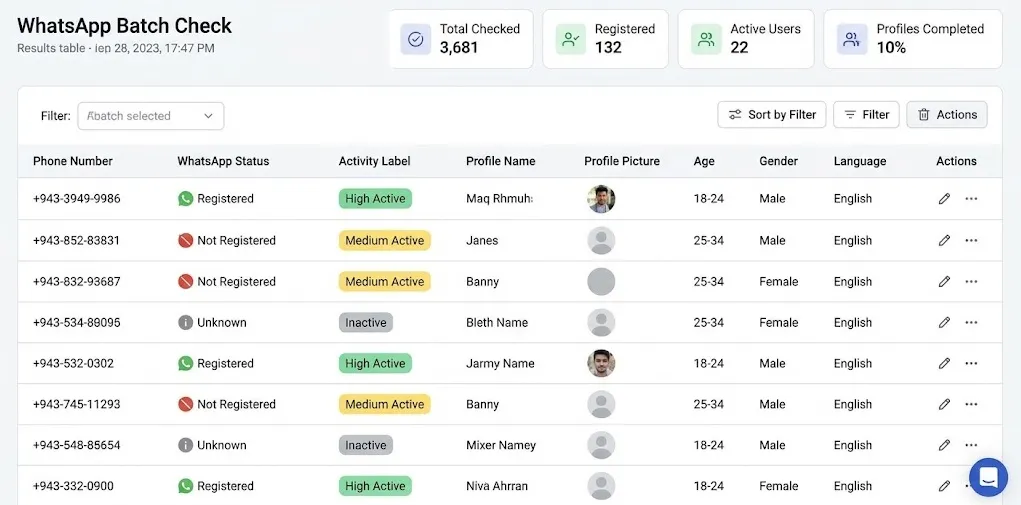
Checking registration status alone may not be enough. Combining registration status, account activity, and available profile information can help you identify which contacts warrant further review.
① Registration Status: Check Whether a Number Is Registered
What it does
Checks whether a phone number is registered on WhatsApp and helps distinguish registered, unregistered, and inconclusive results.
Best for
Overseas lead generation
Contact list cleaning
Preparing phone numbers for outreach
What to watch for
If a number is marked as unregistered, check its country code and phone number format first. Review any unusual or inconclusive results before removing the number from your list.
② Activity Filtering: Prioritize More Relevant Accounts
What it does
Uses the platform's supported activity-checking features to help categorize accounts by activity level. Available indicators and time ranges depend on the actual data returned by the checking service.
Best for
Private-domain marketing
Prospect segmentation
Existing customer engagement
What to watch for
Registration does not guarantee current activity or purchase intent. If a number's activity status is unclear, combine it with other available information instead of deleting it automatically.
③ Profile Filtering: Refine Your Contact List
What it does
Uses supported profile fields to refine contact lists. Depending on the platform and available checking features, these fields may include age, gender, and profile picture information.
Some profile details may not be available because of account settings or technical limitations.
Best for
Target audience filtering
Customer group analysis
More precise contact list management
What to watch for
Missing profile information does not mean an account is invalid, and an unavailable profile picture does not necessarily indicate inactivity. Always follow applicable privacy requirements when collecting and using personal information.
④ How to Interpret Different Checking Results
Each checking dimension serves a different purpose. Registration status supports initial screening, activity information helps prioritize contacts, and profile data can further refine your list.
Registration status | Initial screening | Remove numbers confirmed as unregistered or incorrectly formatted, after appropriate review |
Account activity | Prioritize outreach | Give higher priority to accounts with relevant activity signals |
Profile information | Refine audience segments | Combine available profile fields to improve targeting |
Using these dimensions together can help you decide which numbers to retain, review further, or deprioritize.
3. How Does Bulk WhatsApp Number Checking Work?
Checking numbers one by one becomes inefficient when you have a large contact list. Bulk WhatsApp number checking automates the process and returns a result for each submitted number.
Typical workflow
Contact List → Number Standardization → Submit Checking Task → Verify Status → Review and Export Results
Standardize phone numbers: Normalize country codes and number formats, and identify missing, duplicated, or obviously invalid entries.
Submit a check task: Upload your contact list to a checking platform or submit check requests via an API.
Verify account status: The system checks registration status based on the selected features. Where supported, it may also return activity or profile information.
Organize the results: Match each result to its original phone number, then review, filter, and export the processed data.
This workflow helps streamline large-scale contact list management and makes it easier to apply consistent screening criteria.
4. How to Check WhatsApp Numbers Step by Step
If you already have a list of phone numbers to verify, follow these four steps.
Stage 1: Prepare Your Contact List
Step 1: Organize your phone numbers
Prepare the numbers you want to check and include the correct country or region codes wherever possible. Use a consistent international format, such as +14155552671, and remove duplicate records and obvious formatting errors.
Step 2: Choose a checking method
For a small number of contacts, manual checking may be sufficient. For larger lists, consider an automated bulk-checking tool.
Prioritize tools that support registration status checks, result exports, and any activity or profile filters your business needs.
Stage 2: Submit and Review the Results
Step 3: Submit your list and check the results
Using GeekNums as an example, select the relevant checking feature and submit your phone number list. Once processing is complete, identify numbers marked as registered, unregistered, or requiring further verification.
Step 4: Filter and review your contact list
Organize the results into three groups:
🟢 Keep and prioritize: Numbers with a clear registration status that meet your current screening criteria.
🟡 Review further: Numbers with failed or inconclusive results, or those requiring additional activity information.
🔴 Deprioritize: Numbers confirmed as unregistered or that do not meet your business requirements.
🛡️ Security tip: Make sure your contact list has been obtained lawfully before checking it. Use appropriate, compliant checking methods and avoid repeatedly testing numbers through personal marketing accounts, which may increase the risk of account restrictions.
5. Final Takeaway
Checking WhatsApp numbers involves more than determining whether an account is registered. The key is to interpret the results correctly and use them to guide the next steps in contact list management.
Start by validating phone number formats and checking registration status. Then use available activity and profile information for further screening. This approach helps reduce unnecessary outreach and makes customer segmentation more efficient.
🚀 Want to Check WhatsApp Numbers More Efficiently?
Use GeekNums to screen WhatsApp numbers based on your business needs, identify contacts that warrant further verification, and reduce the impact of invalid or unsuitable data on your outreach efforts.
🎁 Get $5 in Free Credits When You Sign Up
Sign Up for GeekNums and Start Checking Numbers →
6. Frequently Asked Questions
Q1: How can I check whether a phone number is registered on WhatsApp?
You can manually check a small number of contacts or use a bulk-checking tool that supports WhatsApp registration status checks to process larger lists and organize the results.
Q2: Should I recheck a number marked as unregistered?
Yes, when necessary. First, verify the country code and number format. If the format is correct but the result appears unusual, consider checking the number again under appropriate conditions before removing it.
Q3: Does a registered WhatsApp number mean the account is active?
No. Registration status and account activity are different indicators. A registered account may be inactive, so additional activity signals can help with further screening.
Q4: What do I need to prepare for bulk WhatsApp number checking?
Prepare a list of phone numbers with the correct country or region codes. Before submitting it, remove duplicates and correct formatting errors to improve data consistency.
Originally published by GeekNums. Please credit the source when reposting.